<p><img class="alignright size-full wp-image-2182" alt="microsys" src="https://medusamagazine.com/wp-content/uploads/2013/05/microsys.png" width="134" height="164" /><a href="https://plus.google.com/104159000132229320524?rel=author"><i>Craig Hollingum</i></a><i> has been in the Document Imaging business for well over half of his life. He has been involved in </i><a href="http://microcomsys.com/"><i>Micro Com Systems Ltd.</i></a><i> on an evolutionary path as an employee/partner/sole owner since 1982</i></p>
<p>Are you looking for a fast, reliable, and affordable mass storage device or system? If so, then you’ll be glad to know there are several options available for your picking. Here are ten of the best choices for mass storage you may want to consider:</p>
<ul>
<h2>
<li>1. Amazon Cloud Drive</li>
</h2>
</ul>
<p>Amazon owns the biggest cloud service currently available, but it’s typically used by corporations rather than individuals. The good news is that they’re now offering another cloud service, which may be better suited to individual users. The Amazon Cloud Drive provides you with 5GB of storage for free. You can access it from the web or by using a Windows application, your Mac, or your Android device. More storage is available for a fee at $0.50 per GB.</p>
<ul>
<h2>
<li>2. Box</li>
</h2>
</ul>
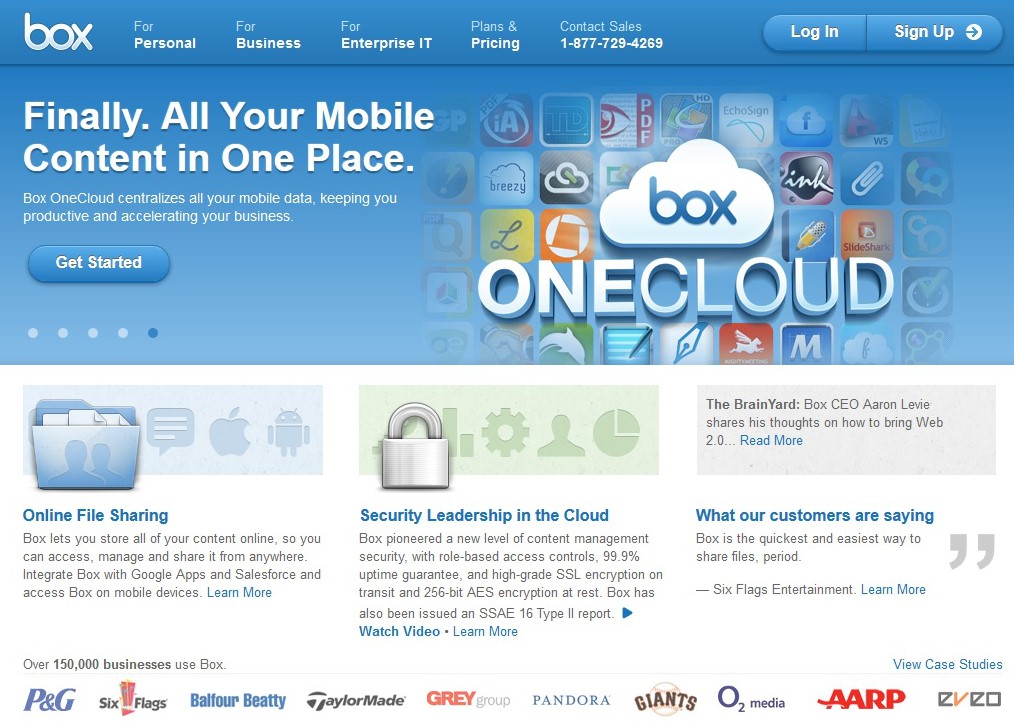
<p>This service is worth considering if you’re looking for something that’s more of a workflow and business collaboration solution. It allows you to store files and then decide who can view and edit those files. The service also allows you to use several business-specific applications. Free storage offered also has a 5GB limit, while larger storage options are available for a monthly fee.</p>
<p><img class="aligncenter size-Correct-Size wp-image-2179" alt="box" src="https://medusamagazine.com/wp-content/uploads/2013/05/box-640x456.jpg" width="640" height="456" /></p>
<p align="center"><i>Among other handy features, Box also allows you to decide who can view and edit your stored files. </i>(Screencap; official website)</p>
<ul>
<h2>
<li>3. Dropbox</li>
</h2>
</ul>
<p>This may not be the service that started cloud-based storage, but it’s definitely the one that popularized the idea. Perhaps its biggest attraction is the fact that it doesn’t require a web-browser interface. You can run it on almost any PC, Android device, or iOS device. People also appreciate its no-frills approach to storage, which is what a personal user needs in most cases. The drawback is that it only offers 2GB of storage for free, but you could upgrade to 100GB for an annual fee of $99.</p>
<ul>
<h2>
<li>4. Apple iCloud</li>
</h2>
</ul>
<p>Just like the Amazon service, this offers 5GB of free storage. What sets it apart, however, is that it offers more than storage. It also gives you the ability to store and stream music, TV shows, books, and applications purchased from iTunes. It also allows you to use Apple’s wireless service, which means you can take advantage of their email service, location awareness, and mobile backup.</p>
<ul>
<h2>
<li>5. Google Drive</li>
</h2>
</ul>
<p>Just like Dropbox, this service integrates with Mac and Windows systems. It also allows you to collaborate and share files of any type—documents, photos, music, and videos. Moreover, if you create content in Google Docs, it won’t eat up any of your storage space. Speaking of space, this service offers 5GB of storage for free, 25GB for a monthly fee of $2.49, and 100GB for a monthly fee of $4.99.</p>
<ul>
<h2>
<li>6. MediaFire</li>
</h2>
</ul>
<p>The fact that this service offers 50GB of free storage might excite you, but you may want to consider a few things first. For one thing, it only allows you to upload files with a maximum size of 200MB. You’re also prohibited from downloading one whole directory; rather, you need to download one folder at a time. If you want to do without these restrictions, then you’ll have to go for the paid versions.</p>
<ul>
<h2>
<li>7. Mega</li>
</h2>
</ul>
<p>This service also provides you with 50GB of free storage, although you may find it a bit slow as compared to other services. Another drawback is that it doesn’t offer file system integration. If these things are important to you, then you’d do well to go for any of the other services mentioned herein.</p>
<p align="center"><i>Mega offers a huge amount of free storage, but it can be a bit slow. </i></p>
<p><img class="aligncenter size-full wp-image-2180" alt="turtle" src="https://medusamagazine.com/wp-content/uploads/2013/05/turtle.jpg" width="640" height="426" /></p>
<p>Commons.wikimedia.org photo by John</p>
<ul>
<h2>
<li>8. Microsoft SkyDrive</li>
</h2>
</ul>
<p>Like many other services of this type, this one allows you to save, access, and share files, but requires a web-browser interface. It works best with Internet Explorer, although it can also work with other browsers. It offers 7GB of storage for free, plus more for an annual fee.</p>
<ul>
<h2>
<li>9. SpiderOak</li>
</h2>
</ul>
<p>If privacy is a major issue when it comes to your stored files, then this could be the best service for you. The software it uses encrypts everything before it gets delivered to the servers. You’ll have to be extra careful not to forget your password, then, because the service can’t help you out with password recovery due to the encryption.</p>
<ul>
<h2>
<li>10. Ubuntu One</li>
</h2>
</ul>
<p>This service provides you with 5GB of storage for free, along with music streaming. It is available not only for Linux users, but also for Windows and Mac as well as Android users. If you want more storage, you can get 20GB more for a fee of $29.99 a year.</p>
<p>Data storage and protection has indeed moved to the cloud and data sharing has become even more important. The services discussed above are just some of the options available to anyone looking for intelligent storage systems. As to which service is the best of its kind, that depends entirely on your requirements. Get insights from the descriptions above and take your pick.</p>

Top 10 Solutions for Mass Storage