
<p style="text-align: justify;">Ah, social media! You gotta love it; the alternative just takes up too much energy. Seriously, is there any other facet of 21st century life that can engender such equal amounts of love and hate as social media? Can&#8217;t live with it, can&#8217;t live without it.</p>
<p style="text-align: justify;">But that doesn&#8217;t mean you have to allow social media to drive you mad. There are tools out there that can help you keep a tight grip on not only the demands of social media, but also on your sanity. Check out these half-dozen awesome tools. And if you&#8217;re looking for a total social media management system, check out the ones highlighted in the article &#8220;3 Great Tools To Automate Your Social Media&#8221;.</p>
<h3 style="text-align: justify;"><b>TweetDeck</b></h3>
<p style="text-align: justify;">If you use Twitter and you want to make real-time tracking, organizing, and engagement easier, then you want to use TweetDeck. Monitor multiple timelines, manage multiple accounts, filter your searches, and schedule Tweets to be posted in the future.</p>
<h3 style="text-align: justify;"><b>Buffer</b></h3>
<p style="text-align: justify;">Or maybe you have multiple social media accounts, specifically LinkedIn, Facebook, and Twitter. No worries! When you want to share and schedule posts for the Big Three, Buffer is there to make it easy for you. It even comes with its own analytics feature so that you can see where the hits and misses are, why something works, and when it does.</p>
<h3 style="text-align: justify;"><b>Flickr</b></h3>
<p style="text-align: justify;">Specifically, the Creative Commons licensed images. Nothing spices up a blog post more than an image or two, and the selection under Flickr&#8217;s Creative Commons license offers some eye-catching pictures for free. The only condition is that you make sure to use them with attribution. The search function is excellent, and you&#8217;ll invariably find just what you need.</p>
<h3 style="text-align: justify;"><b>Google Alerts</b></h3>
<p style="text-align: justify;">Set up Google Alerts for your name, areas of interest, and your company name, if you have one. You can get email alerts whenever those topics come up, including when people post content about you. It&#8217;s a real time saver.</p>
<h3 style="text-align: justify;"><b>Everypost</b></h3>
<p style="text-align: justify;">Available for Android and iOS, Everypost is a free app that allows you to post all your updates to all of your social networks at once, from one location. Just compose your post, add the necessary hashtags and multimedia attachments, and off your post goes, to Facebook, Google+, Twitter, LinkedIn, Pinterest, Tumblr, and e-mail. It even shortens tweets so that they come in under 140 characters. And here&#8217;s some more good news: there will soon be a Web version available.</p>
<h3 style="text-align: justify;"><b>Bitly</b></h3>
<p style="text-align: justify;">Last but not least, here&#8217;s a URL shortening service. Shortened URLs make for leaner, neater links that are also easier for people to share, and you want as many people visiting your pages as you can get! In addition to providing the URL shortening, Bitly also serves as a great way to see how many times the URL was clicked, and by whom. As far as tracking and analytics go, you can&#8217;t ask for anything better.</p>
<p style="text-align: justify;">Now that you have awesome tools to help you manage your social media accounts, you can spend more time considering ways that you can promote yourself better. In fact, the article &#8220;4 Ways To Showcase Your Skills Through Social Media&#8221; has some good suggestions. Check them out, and get ready to own social media!</p>

These Tools Will Save Your Social Media Sanity
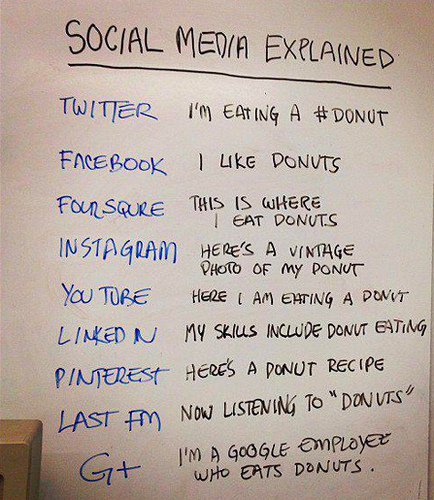
Lots of social media networks, lots of ways to go insane.