<p style="text-align: justify;">Printing costs are automatically reduced when you buy a printer for home use but that does not mean that there are no problems that can appear as you do not know how to take care of the device. While in most situations there are no problems that appear with the use of the printer, the same thing cannot be said about the printer cartridges. That is why you should always think about the tips that you will read below.</p>
<h3 style="text-align: justify;"><strong>Refill Cartridges When You Really Have To</strong></h3>
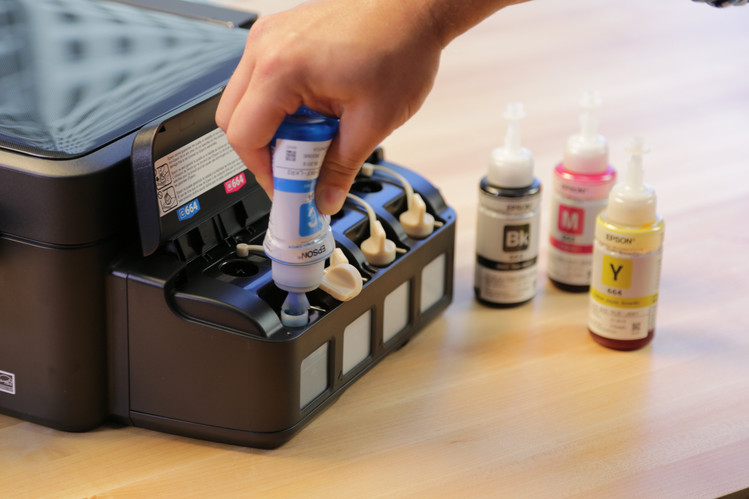
<p style="text-align: justify;">Most people simply refill their cartridges when they notice that there is zero ink inside the cartridge. You should not do this. It is important that you always do all that you can that the cartridge is refilled or completely replaced whenever print quality drops. We say this because when the printer runs on low ink, it can burn out. Backup cartridges should be present at home so that they can be used whenever an emergency appears. You can easily buy quality printer cartridges from Printzone or a similar online store that delivers in the region where you live.</p>
<p style="text-align: justify;">The tip does not mean that you should simply wait until the printer is needed. If you are faced with low uses, you still have to print at least a page once in a while. Make sure that you do so weekly and that you use color settings with the print. If you notice that the print job does not work without ink volume problems, it might be due to the fact that there are some blockages present. You can reinstall the printer cartridge and this problem is usually solved.</p>
<h3 style="text-align: justify;"><strong>Avoid Warm Environments</strong></h3>
<p style="text-align: justify;">It is highly recommended that you keep the cartridge cool at all times. When you leave it in a location that is too warm like a car during summer for a longer period of time, the cartridge can actually explode. This is one thing that many do not know. Heat will lead towards air bubble expansion and that creates leakage or the actual explosion. Obviously, the cartridge that is exploded is useless for the printer.</p>
<h3 style="text-align: justify;"><strong>Pay Attention To Printer Heads</strong></h3>
<p style="text-align: justify;">You are faced with two possible types of printer cartridge models. There are some that have a print head on the bottom like Lexmark, Dell or HP. The other type is the cartridge that includes an ink tank, like those offered by Canon, Brother and Epson. Printers that have a print head will have this region sensitive. This basically means that it is quite prone to scratches.</p>
<p style="text-align: justify;">You should know that many of the cartridges can end up blocked or can dry out. That is really common with the Lexmark models. When you are faced with such a situation, you will want to put the printer cartridge head inside distilled water. Alternatively, use isopropyl alcohol. Make sure that you let your cartridge properly dry before you are going to install it back. You never want components that are wet inside your gadgets.</p>

How To Properly Take Care Of Your Printer Cartridges