<h3><strong>How To Get 20GB of Cloud Backup Space for Free!</strong></h3>
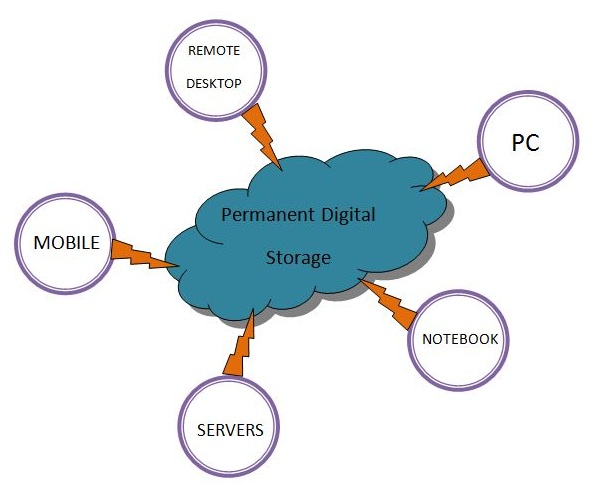
<p>Cloud backup is very similar to offline backup services, the only difference is that your important data is stored online, on the server of a service provider company, so whenever you require your data you download a copy from the online storage, or cloud. The biggest advantage of cloud backups is that the data is safe from accidental delete, virus problems and other unforeseen circumstances.</p>
<p>Below are the cloud backups services which I consider trustworthy and easy to use. Using all of the listed services below will give you more than 20GB of free online storage, which you can access from anywhere around the world.</p>
<p style="text-align: center;"><img class="aligncenter" title="cloud backup" src="http://upload.wikimedia.org/wikipedia/commons/f/f2/Cloud_For_Permanent_Digital_Storage.jpg" alt="cloud backup" width="603" height="489" /></p>
<p>The parameters used for deciding the quality of the service are Security, Ease of Use, Reliability of the service provider, Synchronization facilities and Storage size.</p>
<h3><strong>1) Google Drive</strong></h3>
<p>Google is a very trustworthy organization, it provides 15GB space for cloud backups. Google Drive has a software which does the sync between the PC and cloud space. To place the file on a cloud you only need to install software and that software will create a folder, every file in that folder will automatically synced with the Google Drive.</p>
<h3><strong>2) Dropbox</strong></h3>
<p>Dropbox is among the most popular cloud backups company known, it provides 2GB of space for free. Dropbox can sync file between Mobile/PC/Tablets with server. Backups can be taken using desktop software or using web interface. I personally use the dropbox for creating my cloud backups.</p>
<h3><strong>3) SugarSync </strong></h3>
<p>Currently SugarSync is offering 5GB of cloud backup, SugarSync meets the Reliability requirement because I&#8217;ve never heard that SugarSync is down or not accessible. The best part of SugarSync is that it provides you opportunities to increase the amount of space by taking quizzes and referring people to their service.</p>
<p>SugarSync also has wonderful security system on which you can definitely trust, files will be transferred using 128 bit encrypted key, and they use the random keys which are not generated using the email addresses. Additionally it has great desktop client which can sync any file/folder from your PC, it doesn&#8217;t specifically need a folder.</p>
<h3><strong>4) Skydrive</strong></h3>
<p>Recently Microsoft reduced the amount of cloud space to 7GB, if you are older subscriber then you&#8217;ll get your 25GB but for new signups cloud backup space is 7GB. Microsoft is a reliable organization and security provided by them is also good. Taking backup on the Skydrive is very easy: once the software is installed all you have to do is move your file in to the folder created by the software, it&#8217;ll automatically sync the files.</p>
<h3><strong>5) Spideroak</strong></h3>
<p>If you wanted the best security, best encryption of your file and don&#8217;t want anyone to see your file other than you, then Spideroak is the answer. So, for example, if you wanted to take backup of important financial documents or sensitive data then you should use Spideroak. They provide 2GB online space, a separate folder for the backup is not require, and backup can be taken from any place on the hard-drive.</p>
<p>For personal use, I would suggest using multiple cloud backups services to suit your need; combining the services above will give you more than 25GB of online space.</p>
<p>However, if you are in business and you have a lot more to lose than your favourite tunes and your holiday photos, it is definitely worth looking into some of the larger, paid cloud storage services offered by companies such as Securstore or Mozy.</p>
<h5>Featured images:</h5>
<p><span class="license">License: Creative Commons</span></p>
<p><span class="source">image source</span></p>
<p>Kate Parker is a technology geek and blogger with a passion for free stuff. She has written this article on free cloud backup on behalf of Securstore.</p>

How To Get 20GB Of Cloud Backup Space For Free!