<p style="text-align: justify;">With the price of solid state disk dropping each day, there is not a better time to be getting yours a piece of this blazingly fast drive. But once you do that, you need to know how to clone hdd to ssd; so you can start using your brand new ssd as quickly as possible. Then there’s also the issue of moving windows 10 to ssd without having to reinstall your operating system.</p>
<p style="text-align: justify;">Previously, most people would spend countless hours and in some cases a few days trying to setup their brand new drive. Not anymore you won’t, as there’s a much better solution now to clone hdd to ssd and moving windows 10 to ssd in a flash. All your current OS, system settings, applications, games, data and basically everything else will be moved to the new solid state drive. This means you spend lesser times configuring everything, and can now enjoy the benefit of a faster drive without having to go through the hassle like last time.</p>
<p style="text-align: justify;">But first things first, you need to do some homework first before you can start with the migration process. In summary, here are the things you need to clone hdd to ssd without having to reinstall windows. This normally involves moving windows 10 to ssd and it means moving from a bigger but slower capacity drive to a faster but smaller capacity drive.</p>
<ol style="text-align: justify;">
<li>Your current hard disk – ensure that you remove all unnecessary items, small enough to fit into your newer but smaller capacity solid state disk</li>
<li>Your new solid state disk – this is the destination where you will be moving windows 10 to ssd</li>
<li>Backup of all your data – movies, music, game installations and other non-essential files generally take up the most space. Do some spring cleaning if you would to reduce the size significantly which will smoothen the entire process</li>
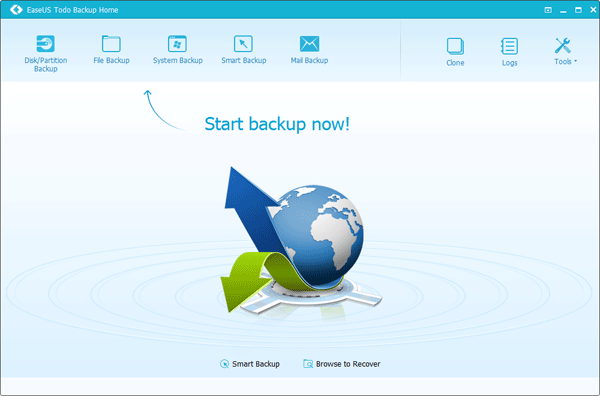
<li><strong>EaseUS</strong><strong> Todo Backup</strong>. This is the clone hdd to ssd application that you will be using to complete the migration to ssd without having to reinstall windows</li>
</ol>
<p style="text-align: justify;">That’s all you need actually to start using your brand new, blazingly fast solid state disk in an instant. This free backup and cloning solution is all you need to help you to clone hdd to ssd. In just 3 simple steps, you will be embarking on the process of moving windows 10 to ssd. It does not get any easier than this.</p>

How To Backup Your Files