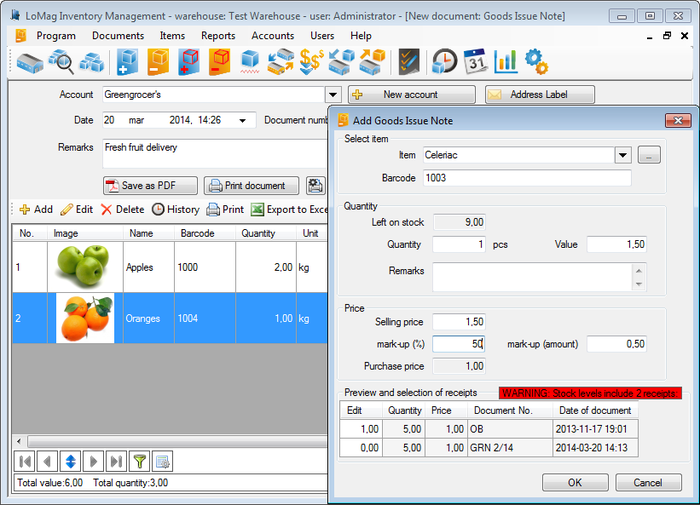
<p dir="ltr"><img class="aligncenter size-full wp-image-903" alt="Install An Inventory Management Program" src="https://medusamagazine.com/wp-content/uploads/2015/07/Install-An-Inventory-Management-Program1.png" width="700" height="505" />If you need warehouse management software for your company, then you can just download it from the internet. All versions of the software are available on the internet. It can be installed automatically along with other components. The program only operates on a single computer but if you connect the computers through any local network, then it will function swiftly on all the computers. First you have to install it on all the computers in the network and change the server and client settings accordingly to make the program work in all of them.</p>
<p dir="ltr"><strong>Make The Changes</strong></p>
<p dir="ltr">There are a few changes that need to be done before using the Inventory Management Program. If you are a service company and do not need accounts and prices columns to appear in the windows, then you will have to deactivate them. You can even set markups of items, and the system will value all item issues accordingly. If you have to deal with suppliers in your line of business, then you will also need to activate the option for suppliers.</p>
<p dir="ltr"><strong>Select A Warehouses</strong></p>
<p dir="ltr">If you want hyperlinks and weights or color of the items to appear in the text field, then you will need to turn on the dedicated column option in the Inventory Management Program. Though the program supports plenty of warehouses, you can work on only one warehouse at a time. You will have to choose from the list of warehouses and select the one that you want to work with. Once you are done, you can close it and select the next one.</p>
<p> ;</p>

Few Easy Steps To Install An Inventory Management Program