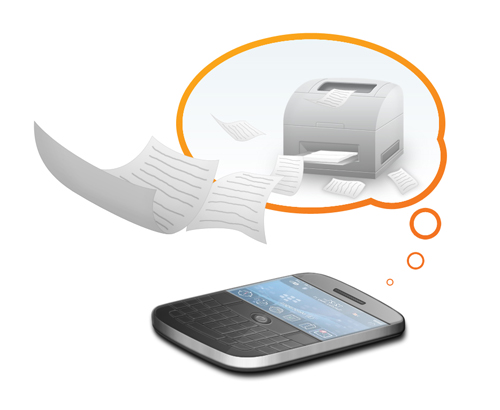
<p style="text-align: justify;">Cloud printing is the technology which allows for the printing of documents from anywhere via the web. With cloud printing one can print on the go. No need to be near a printing machine or wait till you reach one, just print the documents needed with cloud printing technology. You need to just upload the document to be printed and choose your preferences for printing. You can use your tablet and Smartphone’s for printing through cloud printing service providers. Depending upon their approach, cloud printing solutions could be limited to certain technologies or overall connectivity. One can access a printer connected to an online network via Wi-Fi or on a mobile device. Cloud printing provides you with printouts of the quality which you need and in no way does it deteriorate the quality of the print. With cloud printing, sharing of document in hard copy is easier than ever before.</p>
<p style="text-align: justify;"><img class="aligncenter size-full wp-image-10978" alt="Cloud Printing = Quality" src="https://medusamagazine.com/wp-content/uploads/2013/12/Cloud-Printing-Quality.jpg" width="500" height="410" /></p>
<h3 style="text-align: justify;"><strong>How does Cloud Printing Work?</strong></h3>
<p style="text-align: justify;">The cloud printing solution chosen by you provides you with a directory to upload files to. You may use any device connected to the internet whether it be a PC, tablet, Mac or any Smartphone. First of all you need to choose the document which needs to be printed. Once that is done, you click on print and are presented with the option to either save the file to your online directory or go to direct printing. After that you are presented with options to choose a printer nearest you or the location where the document will be delivered to. Next, you have to confirm the printer and go ahead with the printing of the document.</p>
<h3 style="text-align: justify;"><strong>Quality of Print</strong></h3>
<p style="text-align: justify;">Quality of the printouts are never compromised in cloud printing. You can easily review the document for its format, style and amount of pages before it goes to printing. You can select the style of printing you need for a particular document without a hassle. You can change the settings for prints in the options available to you. You can even opt for black and white printing or full color printing, if so desired. After making it and any desired changes to the document, you can proceed with the printing itself. Your preferences for printing will always be adhered to when printing a document. One fact which you should know is that the quality of print will be affected by the quality of document. So, bear in mind that if the document is of poor quality then the poor quality of print cannot be blamed upon the cloud printing solution provider. Therefore, make sure that the document you need to print is of good quality. Cloud printing solution providers promise high quality printing services and maintain high standards in printing.</p>
<p style="text-align: justify;">It can be summarized that in no way does the cloud printing affects the quality of prints. In fact, these service providers printing equipment will be better equipped to deal with commercial and business printing requirements. It is up to the user to upload a good quality file and choose the right setting options for their files. With options to review a document before it is printed, the user should ensure that the style of printing selected is correct. Printed documents can then be easily delivered to where it is required. The user can also track the printing and delivery of document on their mobile device.</p>

Cloud Printing = Quality